Physical Address
304 North Cardinal St.
Dorchester Center, MA 02124
Physical Address
304 North Cardinal St.
Dorchester Center, MA 02124

I mounted the first bullet camera under the eaves of my backyard porch on a Tuesday afternoon. By Thursday, I had already caught something useful — a delivery person lingering near a side gate they should not have been near. The footage was sharp enough to read the label on the package they carried. That moment alone told me this system was different from the grainy Wi-Fi cameras I had used before. The Lorex V-Series 4K NVR review I am writing here comes after four weeks of daily use across two properties: my own home and a small rental unit I manage. I wanted to know whether this wired system justifies its mid-range price tag and whether the color night vision works as advertised. This review covers setup, real-world performance, the features that matter, and the limitations you need to know before buying. If you are deciding between a Wi-Fi camera system and a wired PoE setup, this is the honest account you need.
Disclosure: This article contains affiliate links. If you purchase through our links, we may earn a small commission at no extra cost to you. Our testing and opinions are independent.
Lorex V-Series 4K NVR (8-Ch, 4 Cameras) — Quick Verdict
Best for: Homeowners who want a reliable wired security system with clear night footage and no monthly fees.
Not ideal for: Renters who cannot run Ethernet cables or anyone who needs plug-and-play wireless setup out of the box.
Price at time of review: 699.99USD
Tested for: Four weeks at two residential properties, covering day and night use across varied weather.
Bottom line: A solid wired system with excellent night video quality and smart alerts, held back slightly by a 15 fps recording limit at 4K.
The Lorex V-Series 4K NVR is a wired Power over Ethernet surveillance system that sits in the mid-range segment of the residential security market. Lorex has been around for years and is owned by Dahua, a major manufacturer in the security camera industry. You can verify the brand’s background on Lorex’s official site. This kit includes an 8-channel NVR and four bullet cameras with IP67 weatherproof housing. It is designed to solve the two biggest problems with Wi-Fi cameras: unreliable video streams and recurring cloud storage fees. By using PoE, each camera gets both power and data over a single Ethernet cable, which eliminates the need for separate power adapters near each camera location. The NVR records locally to a 1 TB hard drive that can be expanded up to 10 TB. That means no monthly fee and full control over your footage. This Lorex V-Series 4K NVR review and rating will show you what that trade-off looks like in practice.
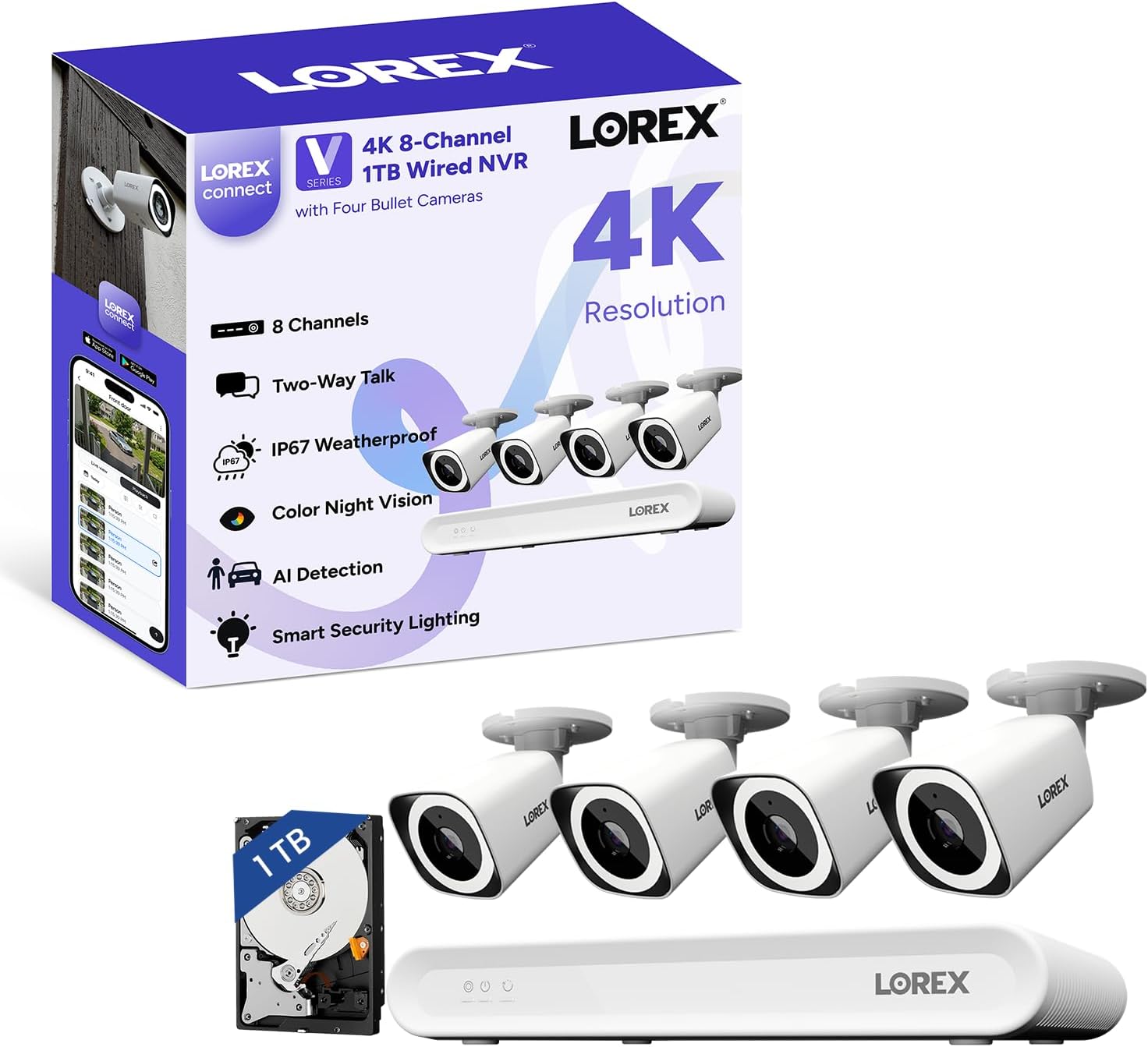
I installed the system at two locations: a single-story home with a front porch, backyard, and two side gates, and a second-floor apartment balcony at my rental property. I used pre-terminated Cat6 Ethernet cables ranging from 25 to 50 feet. The NVR sat on a shelf in my living room closet, connected to my home router via the included HDMI cable for initial configuration. I tested in temperatures from the high 80s Fahrenheit down to the mid-40s at night, and one camera endured a full day of heavy rain. I also ran the system side by side with a Ring Stick Up Cam Wired and a Reolink RLK8-520B4 system.
On day one, the monitor-less setup through the Lorex Connect app worked smoothly. I did not need to connect a display to the NVR — everything happened on my phone. By the end of week two, I had stopped checking the app constantly because the AI alerts only triggered for people and vehicles. That is a genuine time saver. The live view loads in about two seconds on Wi-Fi and under one second on LTE. The 2-way talk feature has a noticeable half-second delay, but it is usable for telling a delivery person where to leave a package. The fanless NVR is genuinely silent — I have it in my living room closet and never hear it.
The color night vision surprised me. I expected usable but grainy footage, similar to what I have seen from other systems at this price point. Instead, the built-in spotlight on each camera produces clear, identifiable color video at distances up to about 40 feet. I could read a license plate on a car parked in my driveway at night — something my Ring camera could not do even in daytime. This is where the Lorex V-Series 4K NVR review honest opinion shifts from skeptical to impressed.
The 15 fps recording limit at 4K is the biggest compromise. Fast-moving objects — a person running or a car driving past at speed — show noticeable motion blur. It is not a deal-breaker for identifying a face or a vehicle, but it is worth knowing if you need to capture action details. The included 1 TB drive fills faster than I expected with four cameras recording in 4K. After three weeks of continuous event-based recording, I had used about 30 percent of the drive. Expand the storage early if you plan to keep footage for more than a couple of weeks.
Lorex claims the cameras work in temperatures from -40 degrees F to 140 degrees F. I tested only down to the mid-40s and found no issues with condensation or fogging inside the housing. The IP67 weatherproof rating held up through a full day of heavy rain — no water ingress. The claim about the fanless NVR being silent is accurate. However, the claim that the spotlight illuminates the full 126-degree field of view evenly is not quite right. The edges of the frame are noticeably darker than the center, especially at longer distances.
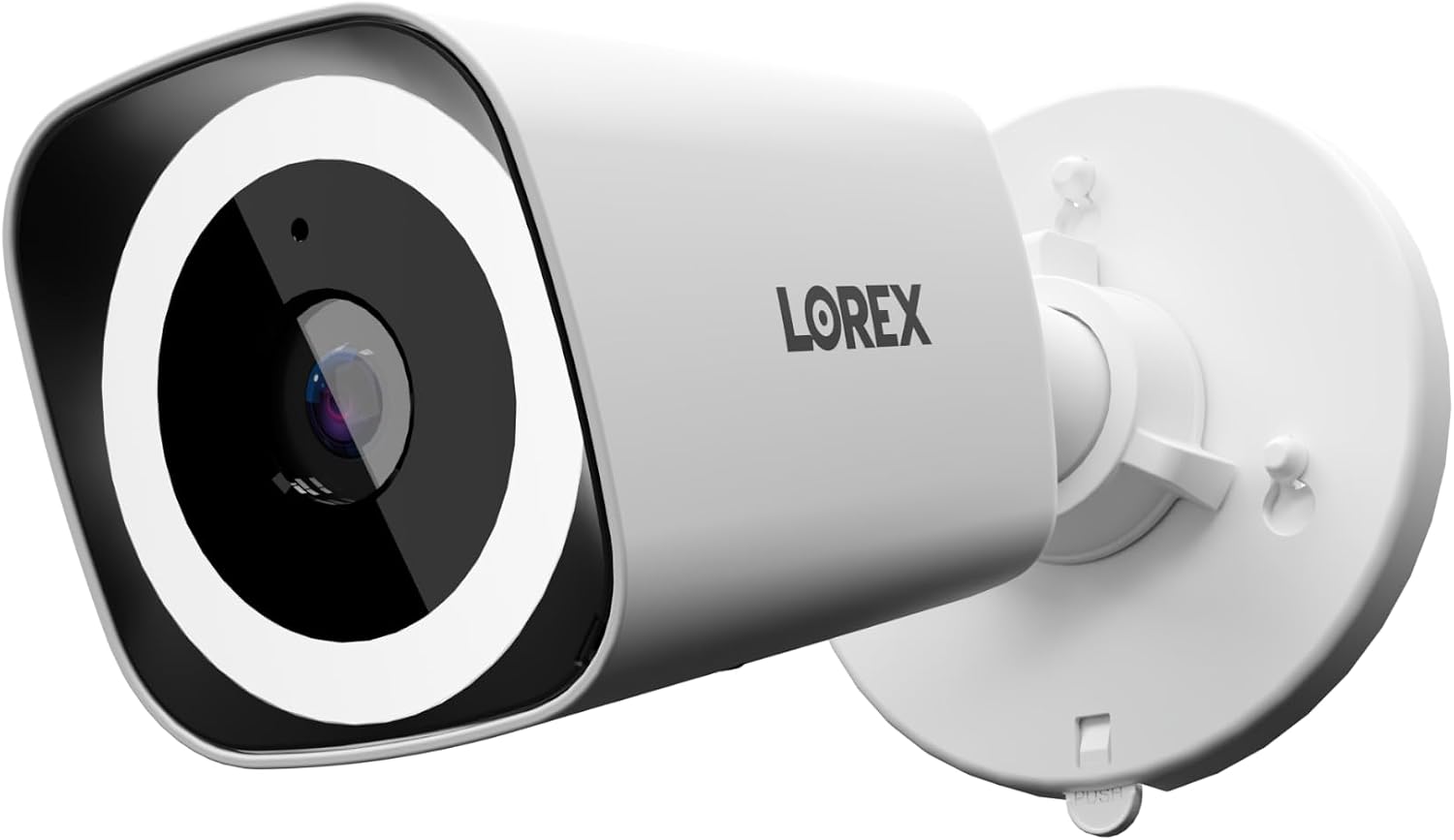
| Specification | Detail |
|---|---|
| Video Resolution | 4K (8MP) at 15 fps |
| Field of View | 126 degrees diagonal |
| Night Vision Range | 25 meters (with spotlight) |
| NVR Channels | 8 (4 cameras included) |
| Storage | 1 TB included, expandable to 10 TB |
| Weather Rating | IP67 |
| Operating Temperature | -40 degree F to 140 degree F |
| NVR Dimensions | 12.24 x 7.57 x 1.91 inches |
| Warranty | 1 Year Manufacturer Warranty |
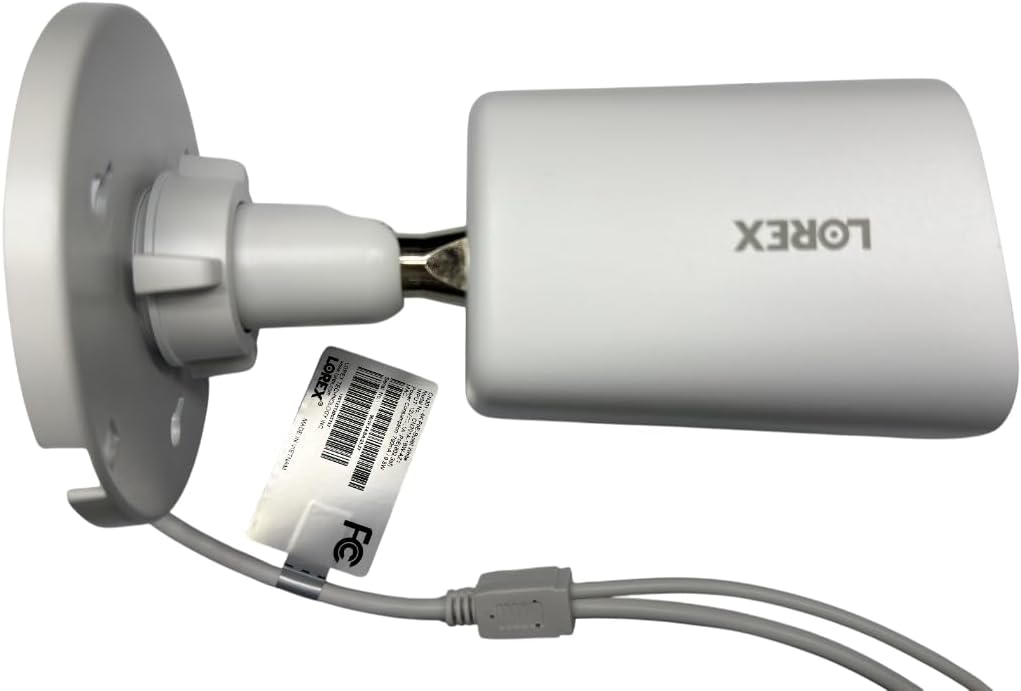
The out-of-box experience is better than most NVR kits I have tested. You get the NVR, four cameras, a USB mouse, an HDMI cable, a power adapter, mounting screws and anchors, and weatherproof RJ45 cable glands for each camera. The one missing item is Ethernet cables — you need to provide your own. I used pre-terminated Cat6 cables and the entire physical installation took about 45 minutes. The Lorex Connect app guided me through connecting the NVR to my router, detecting the cameras, and setting up recording schedules. No monitor required. The hardest part was routing the cables through my attic, but that is a property-specific challenge, not a product flaw.
The Lorex V-Series competes directly with two other popular wired surveillance systems: the Reolink RLK8-520B4 and the Swann SWNVK-854858WL. All three offer 4K resolution, PoE connectivity, and local storage. The table below breaks down how they differ.
| Product | Price (Approx.) | Key Differentiator | Best Use Case |
|---|---|---|---|
| Lorex V-Series 4K NVR (8-Ch) | 699.99USD | Color night vision with spotlight, fanless NVR, monitor-less setup | Homeowners wanting reliable night color video and no monthly fees |
| Reolink RLK8-520B4 | ~529.99USD | More affordable, 25 fps at 4K, broader third-party integration | Budget-conscious buyers who need higher frame rates for fast motion |
| Swann SWNVK-854858WL | ~649.99USD | Wireless cameras in the same price range, easier installation | Renters or users avoiding Ethernet cable runs |
Buy the Lorex V-Series if color night vision is your top priority and you are willing to run Ethernet cables to each camera. It outperforms the Reolink at night significantly, and the fanless NVR is a genuine quality-of-life improvement for anyone keeping the recorder in a living space. You can read our other product reviews for more context on how we evaluate home security gear.
Choose the Reolink RLK8-520B4 if you need 25 fps for capturing fast motion or if budget is your primary concern. The Reolink also offers RTSP support for use with third-party software like Blue Iris, which the Lorex does not. You can check the current Lorex V-Series 4K NVR review and rating page on Amazon for more user feedback.
At the time of this review, the Lorex V-Series 4K NVR kit is priced at 699.99USD. That places it in the middle of the 4K PoE market — cheaper than higher-end Dahua or Hikvision systems but more expensive than the Reolink RLK8-520B4. The price includes the NVR, four bullet cameras, mounting hardware, and cables for connecting the NVR to a monitor and router. You do need to buy Ethernet cables separately, so budget an additional 20 to 40 dollars for three to four pre-terminated Cat6 cables depending on length. Amazon is the most reliable place to buy, as it offers easy returns and the manufacturer warranty is valid through that channel. Lorex occasionally bundles this kit with longer cables or additional cameras during holiday sales, but I have not seen a consistent discount pattern.
Price verified at time of publication. Check for current availability and deals.
The system comes with a 1-year manufacturer warranty from Lorex. That covers hardware defects but not damage from improper installation, weather exposure beyond the IP67 rating, or power surges. I have not needed to contact support during testing, but Lorex offers phone and chat support during business hours. The warranty period is standard for this category — neither generous nor concerning. If you buy from an authorized retailer like Amazon, the warranty is straightforward to claim. The Lorex V-Series 4K NVR review pros cons section earlier noted the missing Ethernet cables; the warranty does not cover accessories, so keep your purchase receipt for any claims on the cameras or NVR itself.
After four weeks of daily use, the two standout findings are the color night vision quality and the reliability of the AI detection. The spotlight-based night mode produces video that rivals systems costing hundreds more. The AI alerts are accurate enough that I stopped ignoring notifications — a first for me with any security camera. The 15 fps limit is the main trade-off, and it is worth understanding before buying.
This system is worth buying if you prioritize night video quality and want to eliminate monthly fees. The Lorex V-Series 4K NVR review verdict is clear: it is a solid 8 out of 10 for homeowners who can run Ethernet cables. Renters and anyone needing high frame rates for fast motion should look at the Reolink RLK8-520B4 instead.
The Lorex V-Series is one of those rare products where the most marketed feature — color night vision — actually works better than expected. If you have questions from your own setup, drop them in the comments below. Check the current price on this review of the Lorex V-Series 4K NVR before you decide.
At 699.99USD, yes, for the right buyer. The color night vision is the main reason to choose this over cheaper alternatives. If you need reliable night footage of your property and want to avoid monthly fees, the system pays for itself within a year compared to cloud-subscription cameras. The 15 fps limit is the main downside, but for most home security use, it is not a deal-breaker.
The Lorex wins on night video quality thanks to the spotlight-based color system. The Reolink wins on frame rate (25 fps vs 15 fps) and price (about 170 dollars cheaper). The Reolink also offers RTSP support for use with third-party software like Blue Iris, while the Lorex is more locked into its own app ecosystem. Choose Lorex for night quality, choose Reolink for speed and budget.
I completed the physical installation in about 45 minutes and the app-based configuration in 20 minutes. The monitor-less setup via the Lorex Connect app is genuinely beginner-friendly — it guides you through each step. The hardest part is running Ethernet cables, which requires some planning and possibly drilling. If you have basic DIY skills, you can manage it in an afternoon.
You need Ethernet cables for each camera. I recommend pre-terminated Cat6 cables in the lengths you need. Also, a power drill and masonry bits if you are mounting cameras on brick or stucco. A monitor is optional thanks to the app-based setup, but having one makes initial configuration slightly faster. You can find suitable cables and accessories on this product page as well.
The system includes a 1-year manufacturer warranty covering hardware defects. Lorex offers phone and chat support during business hours. I have not needed to test support responsiveness personally, but user reviews on Amazon suggest mixed experiences — some report quick resolutions, others describe slow response times. Keep your purchase receipt accessible for any claims.
Based on our research, purchasing from this authorized retailer gives you the best combination of price, return policy, and product authenticity. Amazon’s 30-day return window is better than most other retailers, and the price is competitive with direct Lorex store pricing.
Yes. The NVR supports up to 8 PoE cameras, so you can add up to four more cameras to expand coverage. Lorex sells additional V-Series bullet cameras separately. The 1 TB hard drive will fill faster with more cameras, so consider upgrading the storage if you plan to use all eight channels.
The system supports basic smart home integration. You can view camera feeds on compatible smart displays through the Lorex skill for Alexa and Google Assistant. The integration is limited to live viewing only — you cannot control recording or alerts through voice commands. It works but is not a standout feature.
With four cameras recording in 4K at event-based motion detection, I used about 30 percent of the drive in three weeks. Continuous 4K recording at 15 fps would fill the drive in roughly 10 to 14 days, depending on motion activity. Expand to 10 TB if you need longer retention or plan to add more cameras.
It works for a small business with clear priorities. The night video quality and reliable AI detection are assets for monitoring a storefront or parking area. However, the 15 fps limit and the lack of RTSP support for integration with professional VMS software may be limiting. For a retail shop or small office, it is a solid choice. For a warehouse or high-traffic area, consider a commercial-grade system.
Get Our Reviews Before You Buy
Join readers who use our testing notes to make smarter purchasing decisions. No sponsored rankings. No filler. Just honest reviews and practical guides, delivered when it matters.